How to Make Your Website DPDP Compliant: A Practical Guide
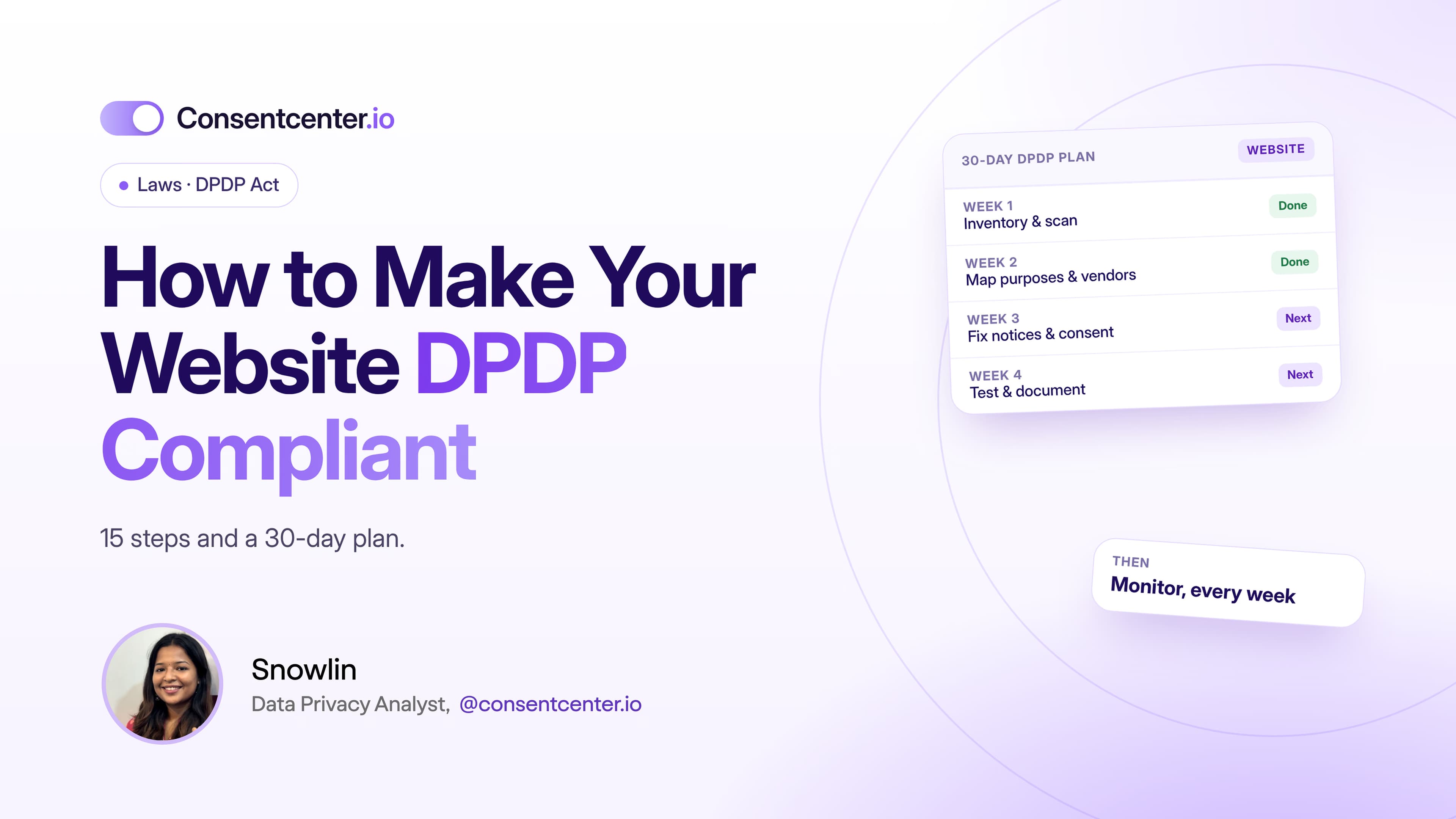
A privacy policy and a banner aren't a plan. Here are 15 steps and a 30-day plan that are.
6 minutes read

Getting your website ready for India's DPDP Act takes more than a privacy policy or a cookie banner.
A typical business website moves personal data through a whole chain:
Browser → Website → Analytics → Advertising → CRM → Email → Support → Cloud
Compliance starts with understanding that entire chain.
Here's how to do it, step by step.
Part 1: Map your data
Step 1: Find every place personal data enters
Go through your website page by page. Look for contact forms, sign-ups, logins, newsletter forms, demo requests, checkout, support forms, job applications, comments, chat, gated downloads, surveys and feedback forms.
For each one, record:
Personal data → Purpose → Destination → Retention → Access
For example:
Email → reply to sales enquiry → HubSpot CRM → kept per sales retention policy → sales team
That one line gives you more clarity than a generic privacy policy ever will.
Step 2: Find the invisible collection
Forms are only part of the picture. Scan for cookies, analytics, ad pixels, tag managers, session replay, embedded content, chat tools, social widgets, external fonts and services, and third-party SDKs.
Marketing knows about some of these. Legal knows about others.
A technical scan shows what's really running.
Step 3: Name each purpose clearly
Don't lump everything under "improving our services".
Use specific purposes: account login, fraud prevention, responding to enquiries, analytics, ad measurement, remarketing, newsletters, customer support, order fulfilment.
Clear purposes make every later decision easier.
Step 4: Decide the basis for each activity
Work out how each activity fits the DPDP Act. Where you rely on consent, apply the Section 6 standard.
Two traps to avoid:
- assuming consent is needed for everything
- assuming that mentioning something in your privacy policy means you have consent
Part 2: Fix consent and notices
Step 5: Redesign consent where needed
For anything based on consent, check that the choice is:
- informed
- specific
- affirmative
- easy to understand
- easy to withdraw
Don't make consent to optional, unrelated processing a condition of using your site.
Step 6: Write a notice people can read
Rule 3 of the DPDP Rules asks for clear, plain language and an itemised description of data and purposes. Two layers work well:
Layer 1: at the point of collection. Short and in context.
"We'll use your email and phone number to respond to this demo request."
Layer 2: the full privacy notice. Your processing, rights, contact details and practices in more depth.
Nobody wants to read a legal document every time they fill in a form.
Step 7: Fix your cookie and tracker setup
If processing relies on consent, the technology must follow the visitor's choice.
That takes developers, marketing, Tag Manager admins, privacy and legal, and your consent management platform working together.
Test it. Don't assume it.
Step 8: Add a way to change preferences
Visitors should be able to revisit their choices. Add a permanent footer link such as "Privacy Choices" or "Cookie Preferences".
It makes withdrawal easy.
Part 3: Connect choices and rights
Step 9: Sync consent to your backend
Consent can't live only in the browser.
What happens when someone signs up for marketing, withdraws consent, changes preferences or asks for deletion?
Does the change reach your CRM, email platform, ad audiences, customer data platform, data warehouse and support tools?
Step 10: Build a rights-request workflow
Decide how you'll handle Data Principal requests:
Request received → verify → find the data → assess → act → respond → record completion
Assign owners now, not after the first request lands.
Part 4: Secure, test and monitor
Step 11: Review security safeguards
Protecting data is part of compliance. Review HTTPS, encryption, credentials, admin accounts, MFA, database access, logging, vulnerability management, backups, patching, vendor access and incident response.
Your privacy and security programmes should support each other.
Step 12: Set retention and deletion rules
Ask every team: when can we delete this data?
If nobody knows, you need a retention framework. Start with rejected job applications, old sales leads, inactive accounts, old support tickets, abandoned checkouts and stale newsletter contacts.
Keeping data forever adds risk without adding value.
Step 13: Control new third-party tools
Before anyone installs a new tool, ask:
- What is it, and what data does it process?
- Why do we need it?
- Which third party receives the data?
- Does it add cookies or trackers?
- Do our notice and consent setup need updating?
This simple check stops compliance from drifting.
Step 14: Test in real browsers
Test every scenario on your live site:
- First visit: what runs before the visitor does anything?
- Accept: what switches on?
- Reject: what stays on?
- Custom choice: are the choices respected?
- Withdrawal: does changing preferences actually stop future processing?
Step 15: Keep monitoring
Compliance breaks after launch.
Someone adds a marketing tag. An agency edits Tag Manager. A plugin updates. A vendor changes. A new campaign brings a new tracker.
Regular scans catch these before they become problems.
Your 30-day plan
| Week | Focus |
|---|---|
| Week 1 | Inventory website data and scan every technology |
| Week 2 | Map purposes, systems and third parties |
| Week 3 | Update notices, consent flows and technical controls |
| Week 4 | Test, document and fix what's left |
Then switch to ongoing monitoring.
How ConsentCenter helps
ConsentCenter supports most of these steps from one platform:
- Cookie and tracker scanning for steps 2 and 15
- Real-time blocking that follows each visitor's choice (step 7)
- A preference center for changing or withdrawing consent (step 8)
- UCPM to sync choices to your CRM and marketing tools (step 9)
- DSAR workflows for Data Principal requests (step 10)
- Consent records with timestamps for your evidence
Start with visibility
You can't control processing you don't know exists. Before you redesign banners or rewrite policies, find out what your website is actually doing. ConsentCenter shows you every cookie, analytics tool, ad tracker and third-party script, and flags tracking that happens before a visitor chooses.
Scan Your Website Free