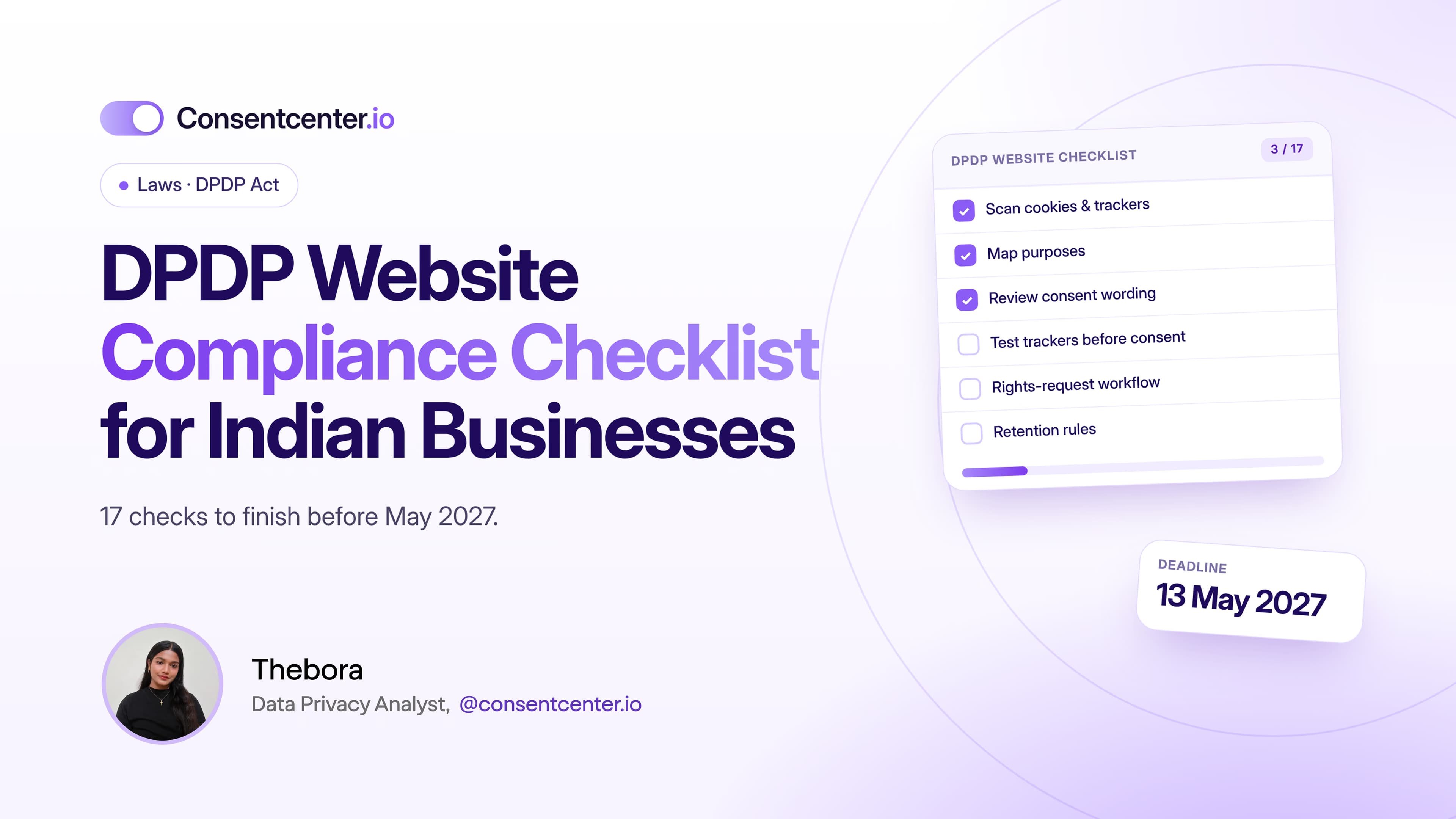
DPDP Website Compliance Checklist for Indian Businesses
17 checks. One website. Start before May 2027, not the week before.
6 minutes read

India's DPDP Act changes how businesses need to think about personal data.
And your website is the best place to start.
It collects personal data through more doors than most teams realise:
- contact and demo forms
- account sign-ups
- newsletter subscriptions
- analytics tools and ad pixels
- chat widgets
- checkout pages
- job application forms
- downloadable resources
- cookies and third-party integrations
This checklist helps you review each of them before the main DPDP obligations take effect on 13 May 2027.
Part 1: Know your data
1. Identify the personal data your website collects
Make an inventory. For every page and form, write down the personal data you ask for: name, email, phone number, address, billing details, account information, support messages, job applications.
Don't stop at the visible forms. Plenty of data moves in the background.
2. Scan for cookies and trackers
Most websites run technology their owners don't know about. Check for:
- Google Analytics and Google Ads
- Meta Pixel and LinkedIn Insight Tag
- Hotjar and Microsoft Clarity
- HubSpot and chat widgets
- embedded media and ecommerce plugins
- tag managers
For each one, note who receives the data and why.
3. Map every collection to a purpose
The DPDP framework is built around purpose.
Don't write: "Email address collected."
Write: "Email address collected to respond to a sales enquiry."
Or: "Email address collected to send the monthly product newsletter."
Data collected for one purpose shouldn't quietly become available for every future purpose.
4. Review the basis for processing
Consent matters under the DPDP Act, but it isn't the only basis. The Act also lists certain legitimate uses.
So map each activity on its own. Don't assume: "We have a privacy policy, so everything is covered."
Where you rely on consent, make sure your consent mechanism meets the Act's standard.
Part 2: Get consent right
5. Review your consent language
Under Section 6, consent must be free, specific, informed, unconditional, unambiguous and given through a clear affirmative action.
Now look at a line like this:
"By submitting this form, you agree to receive all future communications from us and our partners."
Bundling unrelated purposes into one compulsory "yes" deserves a closer look.
6. Review your privacy notice
Your notice should describe what your website does today, not three years ago.
Rule 3 of the DPDP Rules calls for an itemised description of the personal data and the specified purposes, in clear and plain language. Ask:
- Is it easy to understand?
- Does it describe what we collect now?
- Are the purposes clear?
- Does it reflect the tools we actually use?
- Does it explain how to exercise rights and withdraw consent?
7. Check every lead-generation form
Contact Us. Request Demo. Download Ebook. Join Newsletter. Request Quote. Free Trial. Webinar Signup. Get a Callback.
At each one, is the purpose clear at the moment someone shares their details?
Someone asking for a demo doesn't expect to join every marketing campaign you run.
8. Separate requested and marketing communication
These are different purposes:
- Requested: "Send me the quotation I asked for."
- Marketing: "Send me weekly offers on future products."
Your CRM and marketing tools should keep that difference intact.
9. Test your cookie and tracker setup
If a tracker relies on consent, check whether it fires before consent is given.
The most common failure looks like this:
Page loads → trackers fire → data sent → banner appears
The interface looks compliant. The implementation isn't.
Testing is the only way to know.
Part 3: Respect user choices and rights
10. Make withdrawal easy
Where processing depends on consent, people must be able to withdraw it. Give them a clear way to do it:
- privacy settings or cookie preferences
- account settings
- unsubscribe links
- a clearly explained privacy contact
Don't hide withdrawal behind extra steps.
11. Prepare for Data Principal requests
A "request my data" button without a workflow behind it isn't enough. Decide:
- who receives the request
- who verifies it
- where the relevant data lives
- who approves the response
- how completion is recorded
12. Check children's data
If your service may process children's personal data, review the DPDP framework's additional provisions.
A generic "I am over 18" checkbox doesn't automatically solve the problem. Your approach should fit your service and your audience.
13. Review third-party vendors
List every service that receives personal data: hosting, CRM, analytics, support, payments, marketing automation, email and ad platforms.
Know what each one receives and what it does with it.
Part 4: Protect and maintain
14. Put reasonable security safeguards in place
Compliance isn't only about consent. The DPDP framework also expects you to protect personal data. Review access controls, encryption, authentication, backups, vulnerability management, logging, vendor access, incident response and retention.
A perfect banner can't make up for weak security.
15. Set data retention rules
Ask: how long do we keep the personal data this website collects?
Many companies can't answer. Old form submissions, abandoned accounts and years of marketing records just sit there.
Set retention rules based on purpose and legal requirements.
16. Keep evidence
You should be able to show what happened. Depending on your setup, that means recording:
- the notice version shown
- the consent choice and timestamp
- the purpose
- withdrawals and later preference changes
- the system configuration at the time
Compliance should be provable, not based on memory.
17. Re-scan after every change
Website privacy isn't a one-time project.
A marketer adds a Meta Pixel through Google Tag Manager without touching any code. A WordPress plugin brings in new scripts. A new chat tool starts processing visitor data.
Schedule regular reviews.
The quick checklist
Use this short version internally:
- Inventory website personal data
- Scan cookies and trackers
- Identify purposes
- Determine the processing basis
- Review consent wording
- Review the privacy notice
- Review contact and lead forms
- Review analytics and advertising pixels
- Test tracker behaviour before consent
- Provide a withdrawal mechanism
- Prepare a rights-request workflow
- Review children's data
- Review third parties
- Review security measures
- Define retention
- Keep records
- Re-audit regularly
How ConsentCenter helps
ConsentCenter covers the checks most teams struggle with:
- Cookie and tracker scanning for checks 2 and 17
- Real-time blocking so trackers wait for consent (check 9)
- A preference center for easy withdrawal (check 10)
- DSAR workflows for Data Principal requests (check 11)
- Consent records with timestamps for your evidence (check 16)
How many can you answer today?
If you don't know which trackers are running on your website, start there. ConsentCenter can scan your website and show you the cookies, trackers and privacy gaps you need to fix.
Get a Free DPDP Website Audit